


ESA S875プレスブレーキ: 実践的なデータ更新ガイド
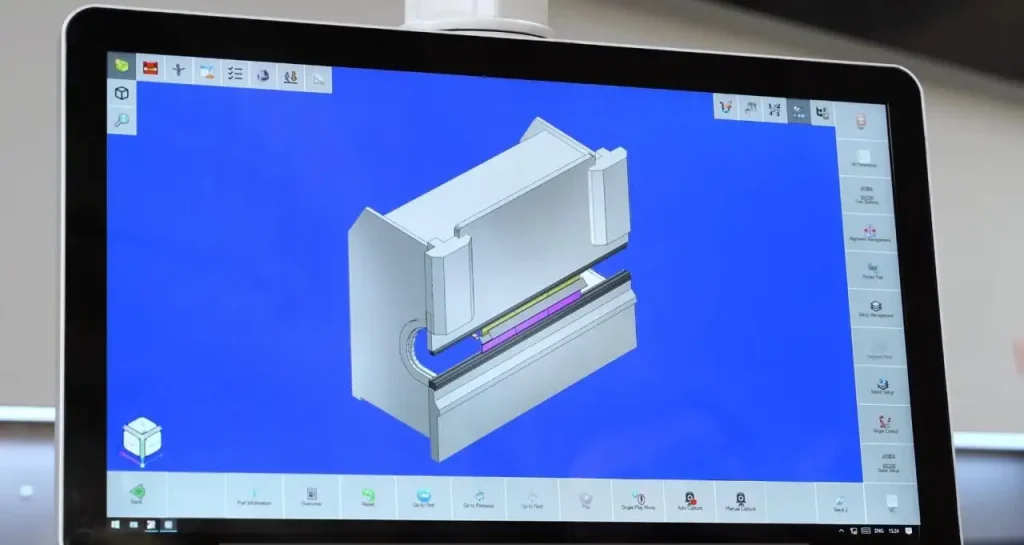
ESA S875プレスブレーキプログラム オペレーターがGeneral Dataを正しく更新する方法を理解すれば、はるかに効率的になります. JSラゴスにて, このステップは単なるコントローラー操作以上のものと見なしています. これは曲げ結果を実際の生産条件に合わせる実用的な方法です, 特に物質的な場合は, ツーリング, または角度の要件変更.
日々の板金作業において, わずかなパラメータ差でも角度の一貫性に影響を与えることがあります, 再現, そして準備時間. 材料の厚さ, 工具選択, スプリングバック挙動, そしてベンドアローワンスはすべて最終部に影響を与えます. 業界の指針も、曲げ結果は材料の厚さと密接に関連していることが示されています, インサイドラジアス, およびスプリングバック制御, だからこそ、一般データは決して小さなメニュー項目として扱われるべきではありません.
なぜESA S875プレスブレーキの一般的なデータが重要なのか
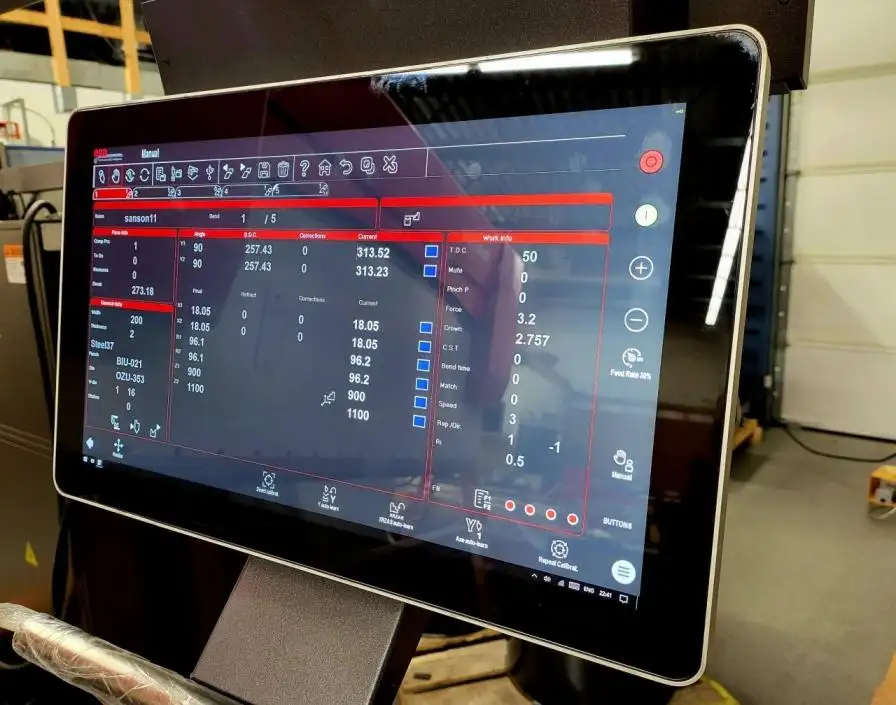
多くのユーザーにとって, ジェネラルデータはベンディングプログラムの運用センターです. これは、機械がベンドを実行する前に、コントローラーにジョブの解釈方法を伝えます. これらの値が現在の場合, 機械はより一貫して応答できる. それらが時代遅れになったとき, プログラミングエラー, リワーク, 失われた時間がより起こりやすくなる.
JSラゴスの視点から, クライアントはこの論理を早期に理解することで利益を得ることができます:
・一般データは材料特性と曲げ計算の挙動を結びつけます
• 工具情報と実際の作業場状況を一致させるのに役立ちます
• 生産変数が変化した際のより迅速な補正をサポートします
• 類似の曲がり角での不必要な繰り返しを減らす
これが、現代のESAコントローラープラットフォームがプロのプレスブレーキ環境において重要な理由でもあります. ESAは先進的なプレスブレーキCNC能力を強調, S875シリーズでは強力なプログラミング性能とマルチアクシス制御を備えています, このプラットフォームが基本的な手動調整ではなく、要求の高い産業用用途を意図していることを示しています.
ESA S875プレスブレーキ一般データマスクへのアクセス方法
更新プロセスは、正しいインターフェースへの適切なアクセスから始まります. ESA S875プレスブレーキについて, オペレーターは一般データの訂正を開始するために、無関係なメニューを移動する必要はありません. アクセス経路は直接的かつ構造化されています, これによりセットアップ時のためらいが減ります.
次の道をご利用ください:
・設定マスクを開く
・コントローラーのメニューキーを押す
• オプション6を選択してください: 一般資料
・画面上で一般データマスクを開く
この画面は現在のベンドコンテキストと同じデータ構造を含んでいます, そのため、比較的認識しやすく、レビューも可能です. オペレーターおよび生産マネージャー向け, これは、慣れ親しんだインターフェースが時間的なプレッシャーで誤ったフィールドを編集するリスクを減らすため重要です.
JSラゴスにて, クライアントには、このアクセス経路を標準的なプログラミング規律の一部として認識するようオペレーターに教育することを推奨しています. 迅速なエントリープロセスが有用です, しかし、正しいエントリーはそれ以上に重要です.
一般的なデータインターフェースを正しく読む方法
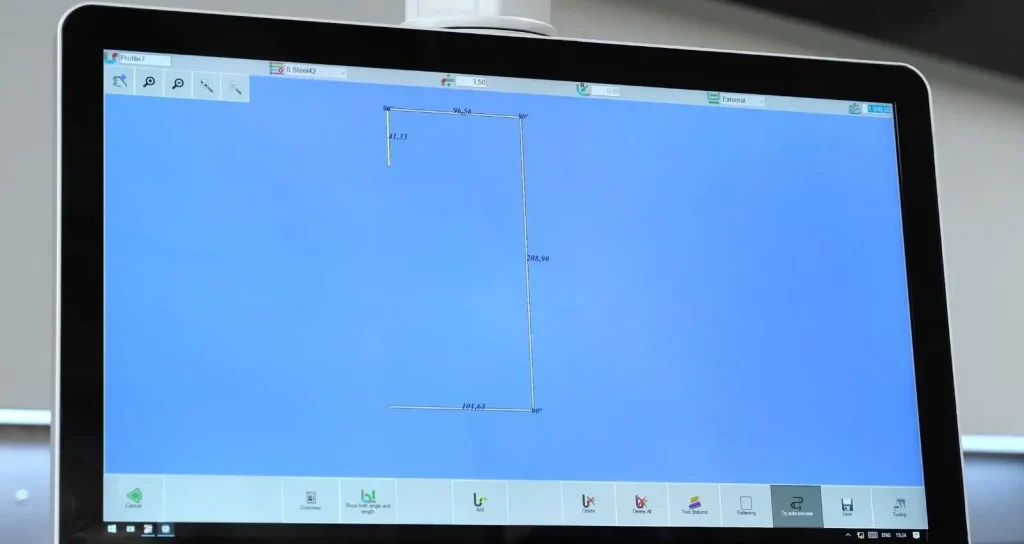
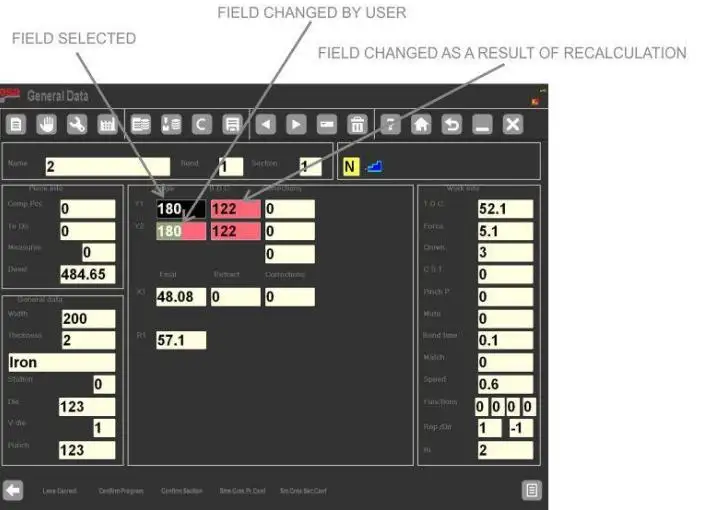
General Data Maskが開かれたら, 次の優先事項は解釈です. 単なる設定リストとして機能するのではなく, 画面はまた、明確な視覚フィードバックを提供します. ユーザーは自分でどのパラメータを変更し、どの値をコントローラーが変更後に再計算したかを確認できます.
ほとんどの場合, インターフェースは以下のカラールールを使用します:
・逆色フィールドで手動で変更された値を表示します
・赤い背景フィールドはシステムによって再計算された値を示します
・ノーマルフィールドは変化のないデータを表示します
この視覚的フィードバックにより、オペレーターは改造の結果を評価してから受け入れることができます. これは特に材料の厚さを更新する際に有用です, 抵抗値, パンチデータ, または死の情報.
重要な点が一つ明確に理解されるべきです: ジェネラルデータマスクに示されている曲げは一時的なコピーです, 実際の生産の曲げ自体ではありません. これにより、ESA S875プレスブレーキはより安全な補正ワークフローを実現しています. オペレーターは実際のプログラムに適用する前に可能な変更点を検査できます.
実際の製造業において, これは非常に実用的です. スプリングバックや工具形状は曲げの挙動を変えることがあります, また、プロの曲げリファレンスも、工具の選択や曲げ形状が結果に直接影響することを指摘しています.
ESA S875プレスブレーキ交換の効率的な適用方法
ESA S875プレスブレーキの大きな利点は、同じロジックがプログラム全体に適用される場合、一般データの変更を一つ一つの曲げごとに繰り返す必要がないことです. コントローラーは複数の確認キーを提供し、オペレーターが変更をコントロールしながらスケールを調整できるようにします.
主な4つの確認オプションは以下の通りです:
・プログラム確認: プログラム全体にすべての曲げに変更を適用してください
・確認セクション: 現在のセクションのすべてのベンドに変更を適用してください
・コンフェクト. 同じPR. その。: プログラム内で同じY1角度の曲げに変更を適用します
・コンフェクト. 同じ宗派. その。: 現在の区間で同じY1角度の曲がりに変更を加える
この構造は異なる生産シナリオに役立ちます.
例えば, 同じ材料と工具のセットアップを使うセクションの場合, 確認セクションは番組時間を節約できる. 一致する角度の曲げだけが標準化が必要な場合, 角度ベースの確認キーはより選択的な方法を提供します. これにより、無関係な曲げに過剰な修正を適用するリスクが減ります.
JSラゴスにて, これは単なるコントローラー機能ではなく、生産性機能として提示しています. クライアントのために, 実用的な利点はシンプルです: 入力の繰り返しが少ない, 避けられたミスが少なくなります, そして類似の部分でのセットアップも速く進めます.
安全かつ正確なデータ更新のためのベストプラクティス
迅速な編集は有用です, しかし、規律ある編集こそが本当の価値を生み出しています. プロフェッショナルなデータ更新ルーチンは、スピードと検証を組み合わせるべきです.
ESA S875 Press Brakeユーザーには以下のワークフローを推奨しています:
・マスクを開ける前に修正を計画する
• 現在の生産号に必要なフィールドのみを変更します
・確認前に逆色および赤色のフィールドを確認する
• タスクに最も適した確認範囲を選択
・重要な変更後にサンプル部品をテスト
• 将来のリピートジョブのために更新を記録する
また、不確実な場合は変更をキャンセルするのも良い習慣です. 修正無視機能は、元のプログラム構造を乱さずに一時的な調整を除去するのに役立ちます. これは、中断が頻発する忙しい作業場での強力な安全策です.
もう一つの有用な習慣は、材料や工具が変わるたびに一般データを確認することです. 業界の基本曲げに関するガイダンスでは、曲げ半径が繰り返し示されています, 物質的挙動, そして工具の選択は孤立した要因ではありません. 彼らは協力して働いています, したがって、コントローラーデータは実際のフロアでのセットアップを反映しているはずです.
JS RAGOSがESA S875プレスブレーキ操作の改善をサポートする方法
JSラゴスにて, 私たちは、お客様がプレスブレーキシステムだけでなく、. また、自信を持って使える知識も身につけるべきです. だからこそ、実用的な管制官の指導が重要なのです. オペレーターがESA S875一般データの正しい更新方法を理解するとき, ダウンタイムを短縮できます, 曲げの一貫性を保つ, そして変化する職務要件により効果的に対応できる.
クライアントのために, 実用的価値は明白です:
・コントローラデータと実際の生産のより良い整合性
・繰り返しの作業におけるより安定した曲げ品質
・材料や工具条件が変化した際の補正の迅速化
・セットアップ時のプログラミング混乱のリスク低減
より広範なESA S875コントローラーファミリーは、高度なプレスブレーキ作業向けに設計されています, 強力なプログラミング機能や複雑な機械制御のサポートを含む, だからこそ、適切なデータ管理は体系的に学ぶ価値があります.
もしチームがESA S875を使っていて、より信頼性の高いアップデートワークフローを求めているなら、Press Brakeをご利用ください, 今こそプログラミング方法を標準化する適切な時期です. 技術サポートはJS RAGOSまでお問い合わせください, コンサルティングマシン, またはESAコントローラの動作に関するより実践的なガイダンス. 適切に管理されたデータ更新プロセスは、曲げ精度に意味のある向上をもたらす小さな一歩です, プログラミング効率, 生産の安定性.